Procreate Color Palette Green Sheen: A Designer's Guide
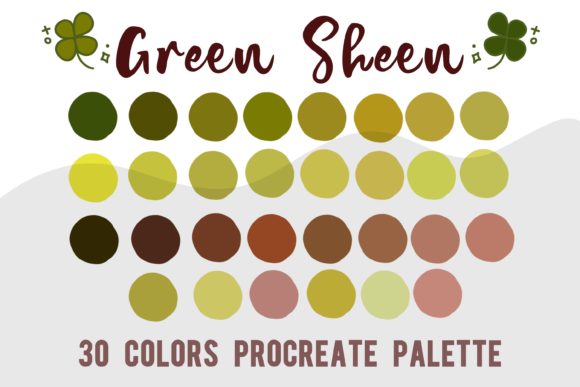
Every designer knows the feeling: you're deep in a creative flow, sketching out a new brand identity or finalizing social media graphics, and you stop to pick a color. You open the color picker, and suddenly, ten minutes vanish as you hunt for the exact shade of green that feels right. It’s a subtle but real friction point in the creative process. The Procreate Color Palette Green Sheen is built to eliminate that friction, offering a curated, cohesive set of 30 tones specifically designed to save you time and elevate your work with a sophisticated, nature-inspired aesthetic.
Understanding the Green Sheen Palette: More Than Just a Color
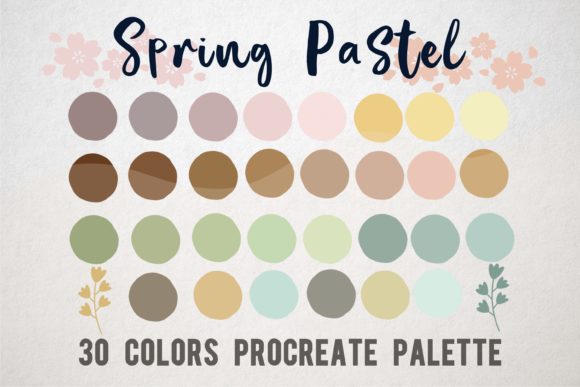
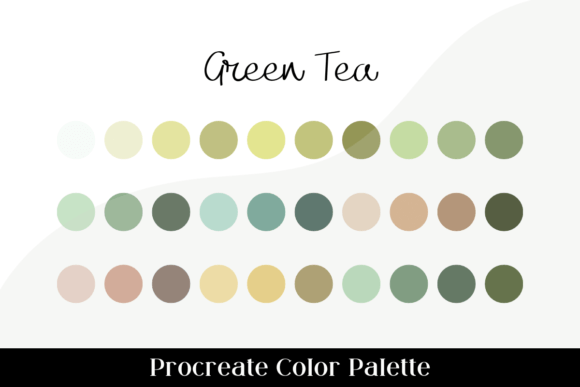
At its core, the Green Sheen palette is a collection of 30 meticulously selected color tones for the Procreate app. But to call it just a color set would miss the point. It’s a design tool engineered for efficiency and visual harmony. The "Green Sheen" name hints at its character: think of the subtle, luminous sheen on a healthy leaf, the muted depth of forest moss, and the soft glow of morning light through foliage. This isn't a collection of jarring, primary colors. Instead, it's a nuanced spectrum that includes rich, deep shadows, vibrant mid-tones for energy, and delicate, airy highlights for breathing room.
The personality of the Green Sheen palette is one of organic sophistication and modern calm. It balances earthiness with a clean, contemporary feel. The tones were selected to work in concert, meaning you can pull any three or four colors from the swatch file and they will naturally complement each other. This inherent harmony is its greatest strength, allowing you to build complex, layered illustrations, detailed digital paintings, or polished graphic designs without constantly second-guessing your color choices. It’s a premium font for your color workflow—a design asset that streamlines creation and ensures a professional, cohesive result.
Practical Applications: Where the Green Sheen Palette Excels
Knowing a palette exists is one thing; understanding how to apply it is where the real value lies. The versatility of the Green Sheen palette makes it suitable for a wide range of projects, from personal craft to commercial branding.
- Brand Identity and Logo Design: For brands that want to convey growth, sustainability, reliability, or a connection to nature, this palette is a natural fit. Think of wellness brands, eco-friendly startups, organic cafes, or boutique financial advisors. The colors project stability and freshness simultaneously. A logo designer can use a deep forest tone for authority and a brighter sheen for accent, creating a mark that is both trustworthy and inviting.
- Editorial and Packaging Design: In publishing, the palette can set the tone for an entire magazine layout or book cover, creating a specific mood for a feature story on mindfulness, travel, or gastronomy. For packaging, particularly in cosmetics, artisanal foods, or stationery, these colors suggest quality and thoughtful craftsmanship. The shades can make a product feel premium and connected to the earth.
- Digital and Web Design: While not a typeface, a color palette is fundamental to modern typography on screen. Using Green Sheen tones for website accents, buttons, or background sections can create a serene and focused user experience. It’s excellent for blogs, portfolios, and online shops that want a clean, uncluttered aesthetic with a touch of personality. The palette ensures visual consistency across all digital touchpoints.
- Social Media and Content Creation: For marketers, bloggers, and content creators, maintaining a consistent visual style is key to recognition. The Green Sheen palette can become the backbone of your Instagram grid, Pinterest pins, or YouTube thumbnails. It helps create a recognizable brand identity that stands out in a crowded feed, signaling a specific kind of quality and style to your audience. The 30-color range provides enough variety to keep designs fresh while staying on-brand.
- Personal Projects and Crafting: Hobbyists and crafters using Procreate for digital journaling, planner stickers, or printable art will find the palette instantly useful. It removes the guesswork from creating beautiful, harmonious pieces. The colors are perfect for floral illustrations, botanical studies, landscape sketches, or any project where you want to evoke a sense of calm and natural beauty.
Integrating Green Sheen into Your Workflow: A Practical Guide
Adopting a new tool should be seamless. Getting started with the Procreate Color Palette Green Sheen is straightforward. Once you purchase and download the .swatch file to your iPad, you simply locate it in the Files app and tap it. Procreate will automatically import it into your palettes library. From there, it’s ready to use in any canvas.
When working with the palette, consider a few practical tips. Use the deeper, shaded tones for backgrounds, shadows, and creating depth in your compositions. The mid-range vibrant greens are perfect for primary subjects, typography accents, or elements you want to pop. The lightest, highlighted tones work beautifully for subtle details, text on dark backgrounds, or creating a sense of airiness and light.
While the palette is designed to be cohesive, don't be afraid to experiment. Try pairing a deep Green Sheen tone with a neutral off-white or a warm, muted beige for a classic look. For more contrast, a carefully chosen terracotta or dusty rose can create a striking visual hierarchy. This is where you move from using a pre-made asset to making strategic design decisions. The palette provides the foundation; your creativity builds the house.
Ultimately, the value of a tool like the Green Sheen palette is measured in time saved and quality gained. It’s a small investment that pays dividends in smoother workflows, more confident color choices, and a consistently polished, professional output across all your creative projects. It’s not about replacing your artistic eye, but about giving it a reliable, harmonious set of tools to work with.